Product update
Reserve seats for people and let ticket shops in town sell
A regular calls and wants her four seats in row E. The press needs two places on the aisle. The ticket shop in the old town would like to sell your Christmas show. From today, all of it happens on your seat map, and nobody has to keep a list on paper.
The seat map, full screen
Open Seat map in a seated event. It fills the screen and shows the state of every place at a glance: free, in a cart, sold, reserved or blocked. Click a place to select it, shift-click to add more, take a whole row or draw a box over a block. Search finds a seat, a name or an order, the legend explains the colors, and you can zoom into any corner. On a phone, the panel slides up as a sheet.
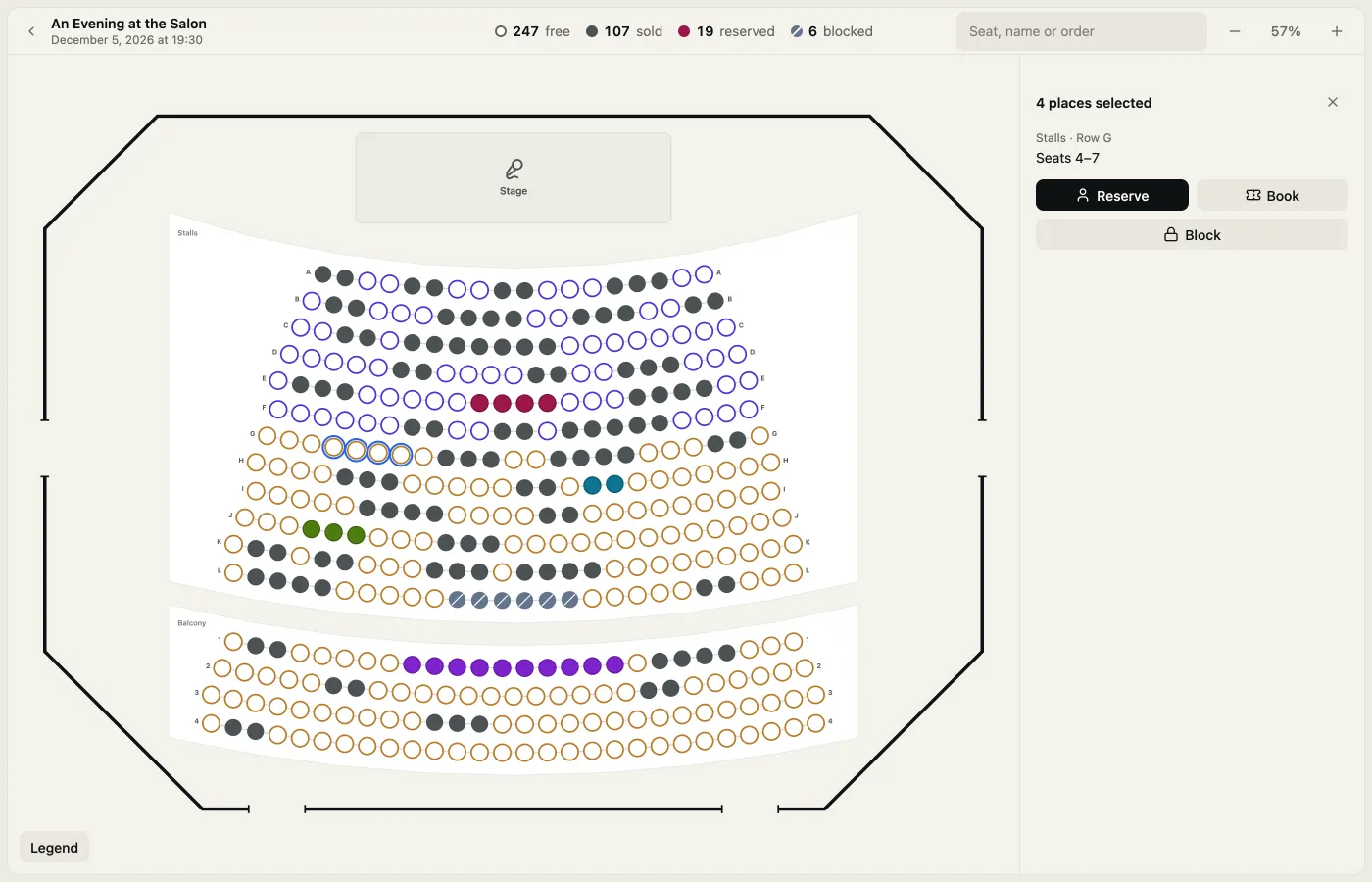
Reserve seats with a buy link
Select the places, choose Reserve and enter a name, an email and, if you like, until when. The person gets an email in your shop’s look with a Buy tickets button, or you copy the link and pass it on yourself. The link opens their places on the seat map and then the normal checkout. Nobody else can take those places in the meantime.
If the reservation runs out, its places go back on sale on their own. If the person starts the checkout and leaves it, the places return to their reservation, not to the shop, so they can come back and finish.
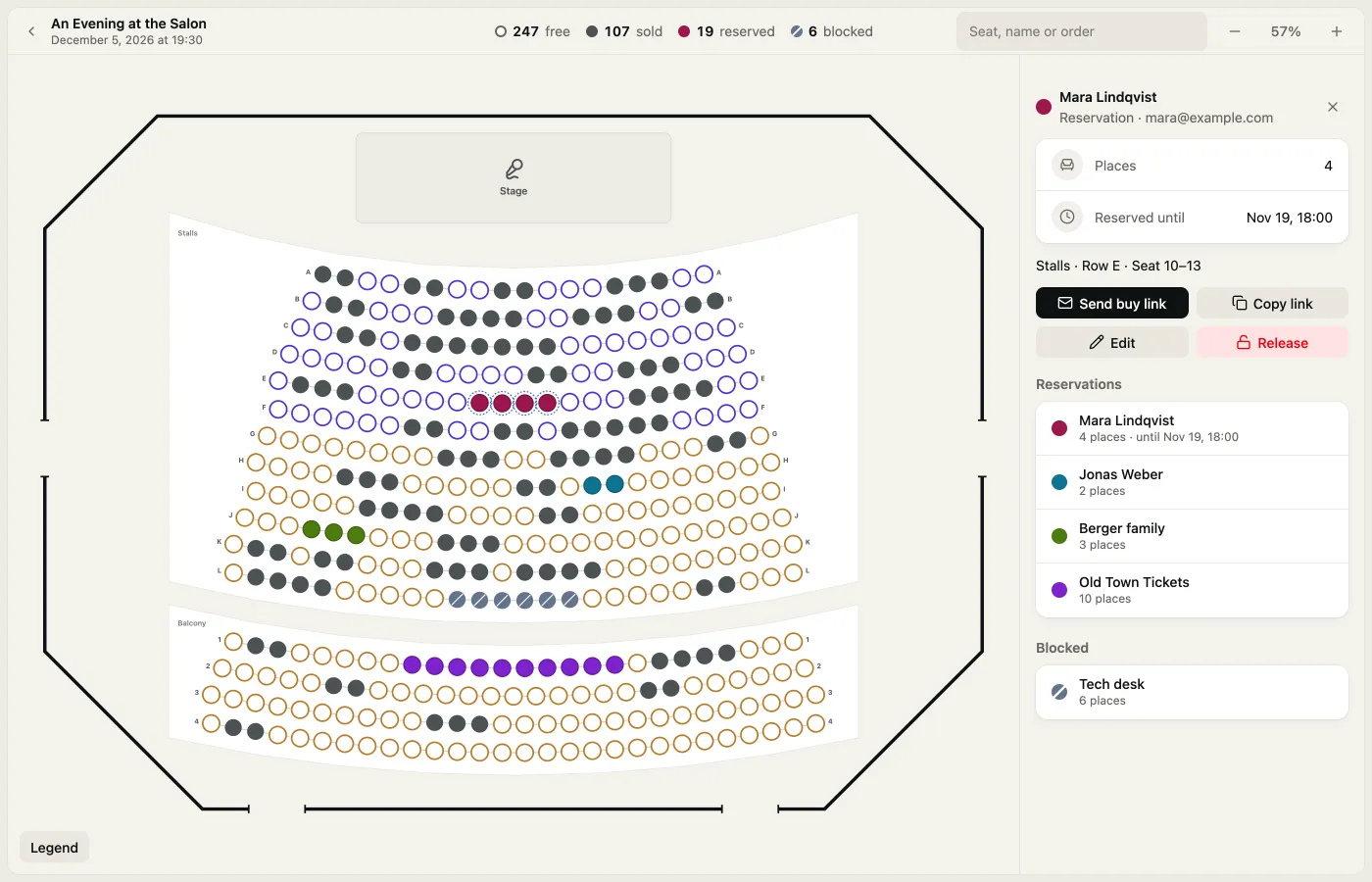
Blocks for the house
The tech desk, two seats for the press, a row for the crew: select them, choose Block and give them a name. They stay out of the shop until you release them.
Book tickets straight away
Sometimes a ticket is settled before anyone opens the shop: a guest of the band, a group that paid by bank transfer, a sale at your own till. From a selection or a reservation, Book issues the tickets on the spot.
- Free: the tickets become a guest-list party, with no Usetix fee, and the door checks them in like any guest.
- Paid outside Usetix: at your own till, by bank transfer or on invoice. The money never passes through Usetix, and the usual Usetix fee comes from your Usetix Credit. Without enough credit, the booking doesn’t go through.
Events without a seat map have the same under Book tickets on the event’s orders page, with quantities instead of seats.
Tickets that never go on sale
Besides public tickets and hidden ones behind a secret link, a ticket can now be Internal only. It never shows in the shop or at sales points, and only your team books it in the admin. That suits complimentary tickets or tickets for the door.
Sales points sell for you
Plenty of people still buy their tickets at the ticket shop around the corner or the tourist office. Under Sales points you add them, the box offices in town too, and invite the people who sell there. Each one sells every event or the ones you choose, and every free place or only the allotment you give it on the seat map.
They sell in their own app at /box-office, made for a tablet at the counter: pick places from their allotment or the free ones, or a quantity, choose the ticket, confirm Paid in our till and sell. The tickets print as a PDF or go out by email, and a sale can be taken back the same day.
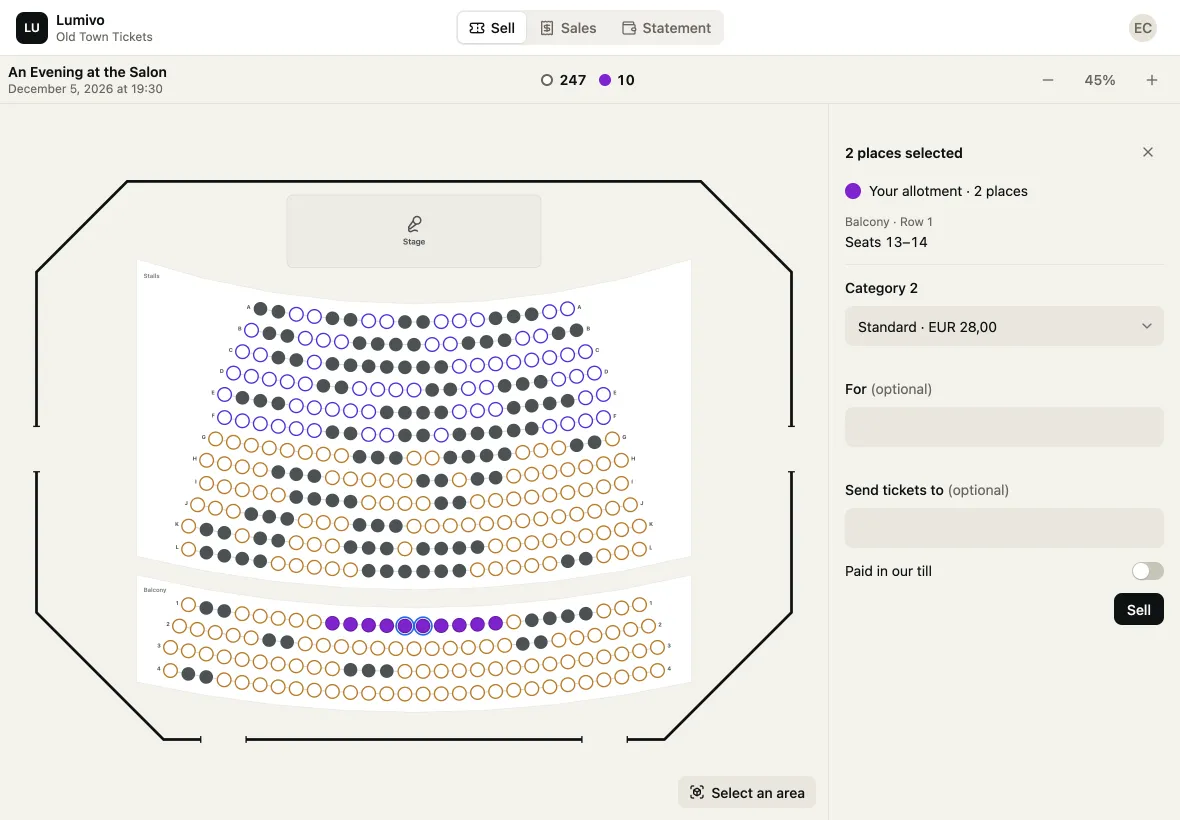
The money stays in their till. Usetix only records that the tickets were paid there, and it isn’t a cash register. The fee per ticket comes from your Usetix Credit, and an automatic top-up keeps the counter selling.
Settle up in one click
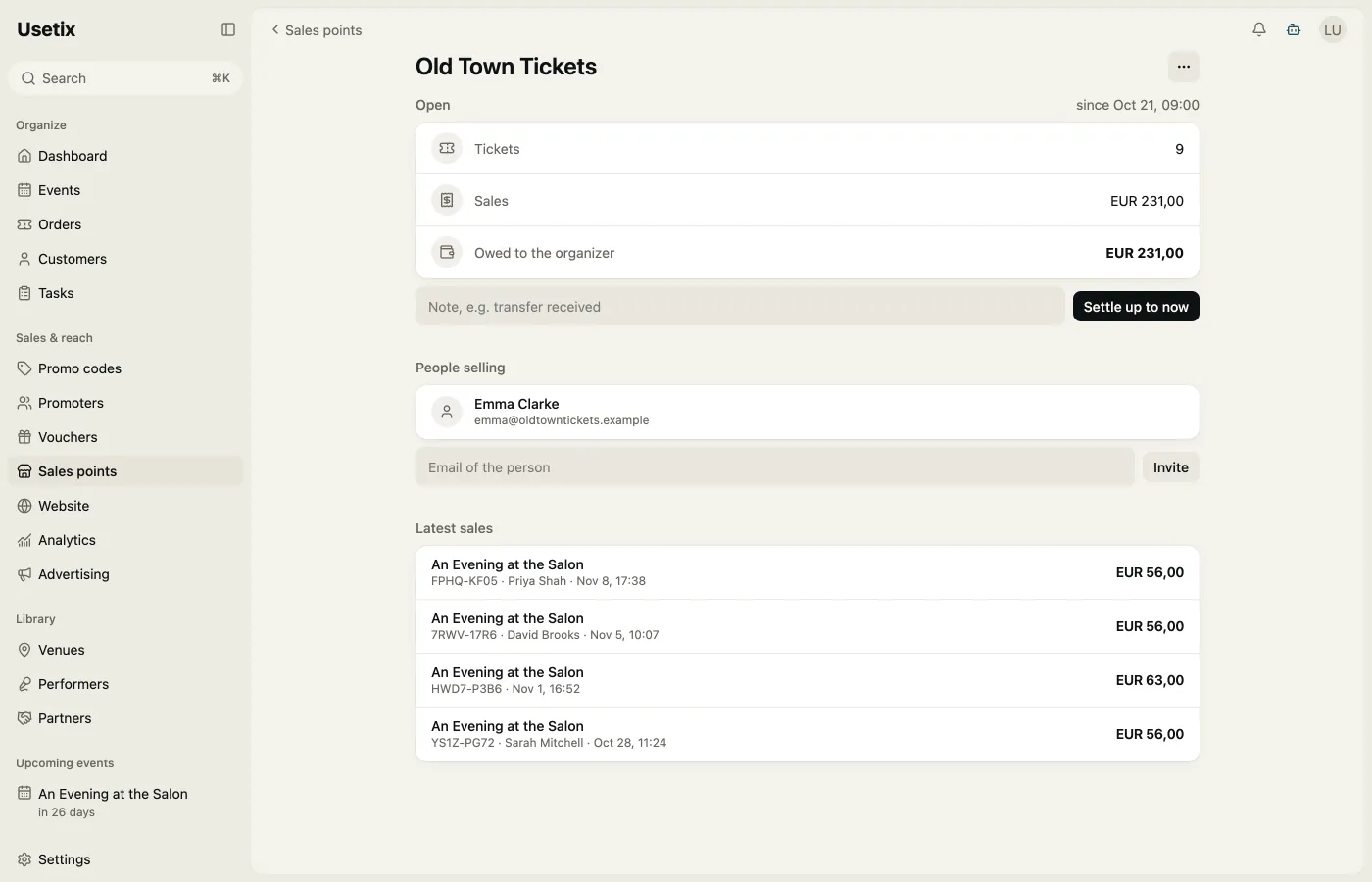
On each sales point’s page you see what it sold since the last settlement and what it owes you. Export the sales as CSV, and once the money is in, Settle up to now closes everything so far in one click. The sales point sees the same statement in its app.
Also through the assistant, the API and the CLI
Reservations, bookings and sales points also work through the Usetix assistant, AI apps connected through MCP, the Usetix CLI and the API.
Open Seat map in a seated event to start, or add your first sales point under Sales points. The box office page shows it all at a glance.