Product update
Seating Plans: Guests Pick Their Own Seat
You’re selling tickets for a hall with fixed seats. Rows A through J, left and right of the aisle, maybe a balcony. Until now you faked it with ticket types: Front stalls, Rear stalls, Balcony. Guests guess where they end up. Your team still juggles a list on the night.
Not anymore. Seating plans are live in Usetix.
Build the room once. Go live when it is ready. Guests click their seat on the map. What is gone stays gone.
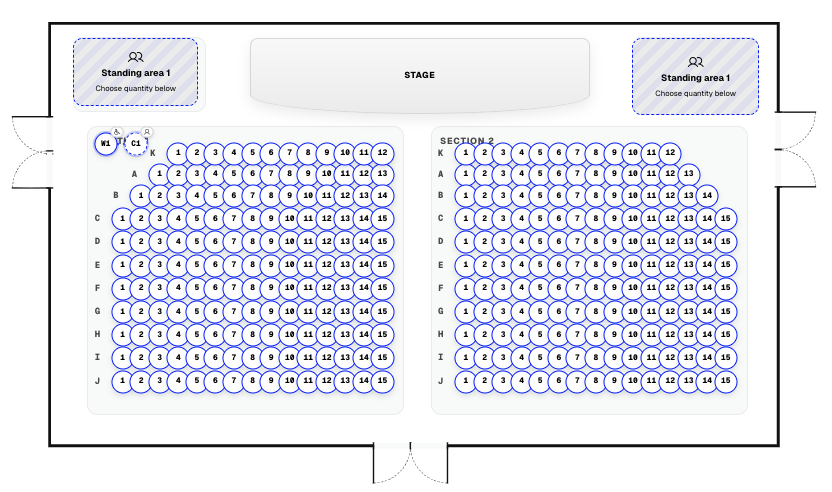
Build the hall, not a spreadsheet
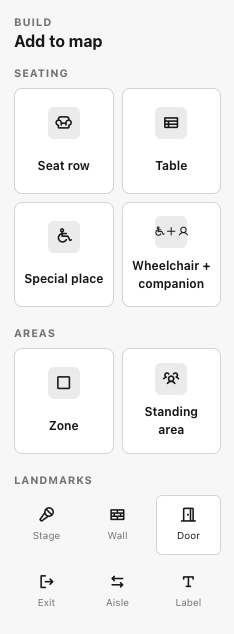
In the editor you place what the venue actually has. The palette covers the pieces you need on real nights:
- Seat row with count, spacing, and rotation
- Table for dinners and cabaret layouts
- Special place and wheelchair + companion
- Zone and standing area when capacity has to stay flexible
- Landmarks: stage, wall, door, exit, aisle, label
No bloated venue suite. One canvas for halls, theatres, and fixed seating.
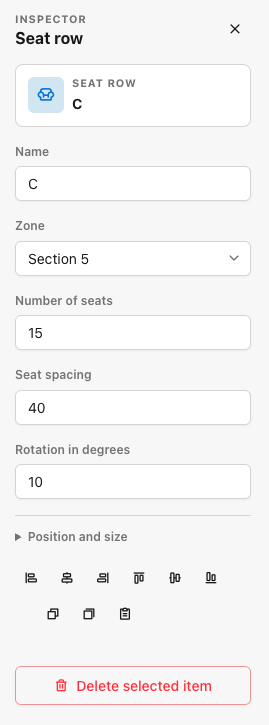
Inspector for every element
Click anything on the plan and set the details. Rows, tables, zones, standing areas, special places: each element opens its own inspector.
In the example: a seat row with name, zone, seat count, spacing, rotation, position, and size. Align blocks, angle a balcony a few degrees, assign Section 5, name the row C. Clear for staff, clear for guests.
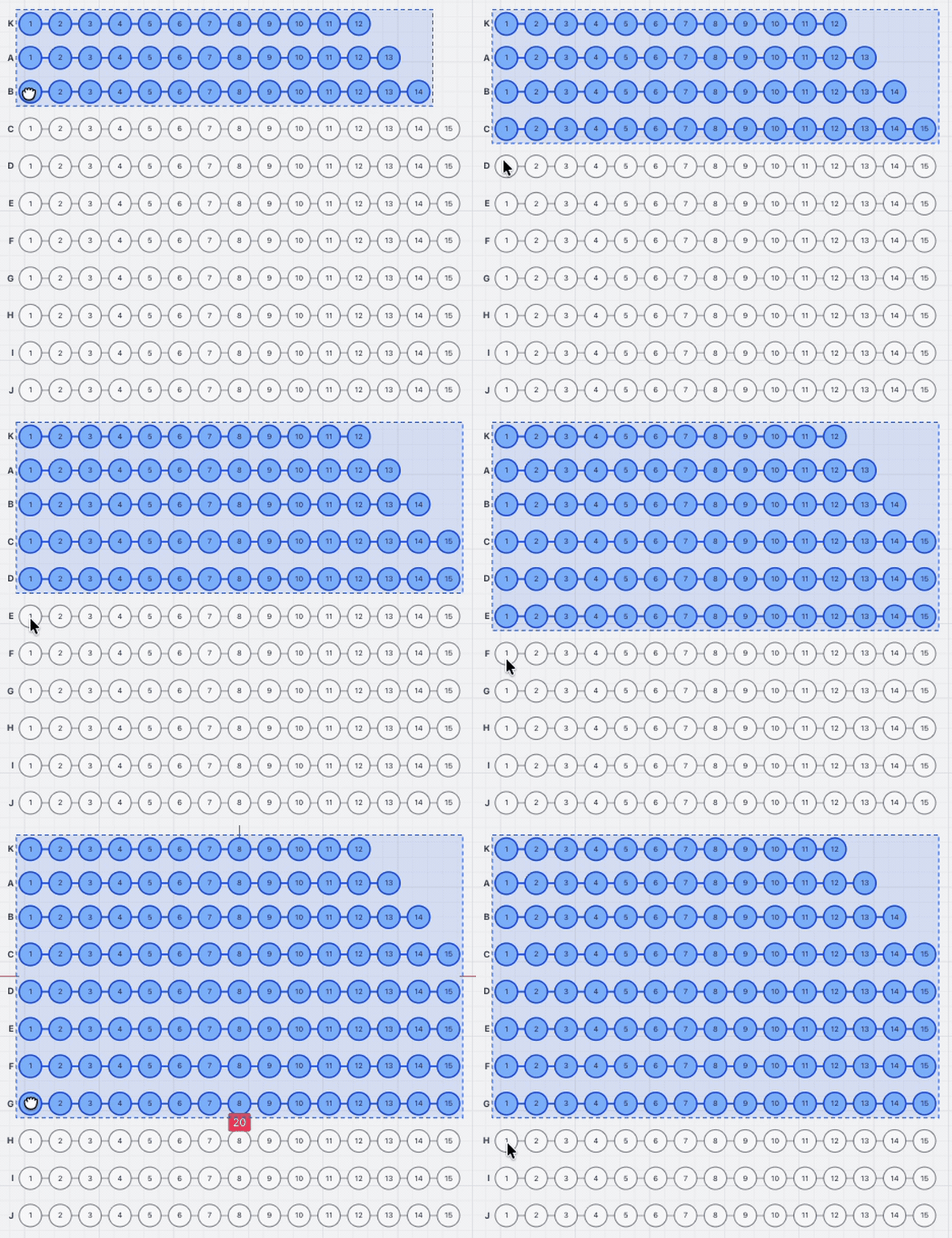
Place rows, then refine
Rows go down fast. Place them, set the count, tighten spacing and labels. The editor is built for people who open doors on Friday night, not for a multi-week CAD project.
Guests pick on the map
Nobody downloads a PDF and hopes. People open the map in the shop, see free vs taken at a glance, and take their seat. The choice writes inventory live. When a seat is gone, it is gone for the next buyer. Box office, export, and scanner know the same thing the map already promised.
That is the point of seating: plan, shop, and door tell the same story.
Who it is for
- Venues with fixed seating (theatres, halls, church spaces)
- Promoters selling numbered seats instead of open GA
- Dinner and cabaret layouts with tables
- Mixed rooms that need seated blocks plus standing
In production we care about houses like Dompalais Wetzlar: guests pick seats, the team stays calm.
Live for every account
Seating is live in Usetix now. Open an event, build the plan, publish, sell seats on the map.
New to Usetix? Create your account and start with your next event.
Questions? support@usetix.io.